ECU TESLA MODEL S 2018 User Guide
[x] Cancel search | Manufacturer: TESLA, Model Year: 2018, Model line: MODEL S, Model: TESLA MODEL S 2018Pages: 195, PDF Size: 5.51 MB
Page 133 of 195

About the Security SystemIf Model S does not detect a key nearby and a
locked door or trunk is opened, an alarm sounds and the headlights and turn signals
flash. To deactivate the alarm, press any
button on the key.
To manually enable or disable the alarm
system, touch Controls > Settings > Safety &
Security > Alarm . When set to ON, Model S
activates its alarm one minute after you exit,
the doors lock, and a recognized key is no
longer detected.
If your Model S is equipped with the optional security package, it includes a battery-backed
siren that sounds in situations where a locked door or trunk is opened and Model S does notdetect a key nearby. If the Tilt/Intrusion
setting is on, the siren also sounds if Model S
detects motion inside the cabin or if the
vehicle is moved or tilted (for example, with a
tow truck or jack). To temporarily turn the Tilt/
Intrusion detection system
off, touch
Controls > Settings > Safety & Security > Tilt/
Intrusion > OFF . The Tilt/Intrusion setting is
enabled every time Model S is unlocked.
Note: If you plan to leave something that
moves, such as a dog, inside your locked
Model S, remember to turn
off Tilt/Intrusion .
Motion detected inside Model S activates the
siren.
Note: The Alarm must be on to enable Tilt/
Intrusion .
Security Settings
132Model S Owner
Page 161 of 195

Checking Brake FluidWarning: Contact Tesla immediately if
you notice increased movement of the brake pedal or a
significant loss of brakefluid. Driving under these conditions can
result in extended stopping distances or complete brake failure.
The Brake indicator on the
instrument panel alerts you if the
quantity of
fluid in the brake
reservoir drops below the
recommended level. If it displays
while driving, stop as soon as safety
permits by gently applying the
brakes. Do not continue driving.
Contact Tesla immediately.
Fluid Level Check
Tesla checks the brake
fluid level at the
regularly scheduled maintenance intervals. To
check it yourself, park Model S on level
ground. When Model S is cool, remove the
maintenance panel (see Removing the
Maintenance Panel on page 159).
Check the fluid level visually by looking at the
outside marks on the side of the reservoir
without removing the
filler cap.
The brake
fluid level should always be
between the MIN and the MAX marks.
Note: Although brake
fluid level drops slightly
during normal use as a result of brake pad
wear, it should not drop below the MIN mark.
Topping Up the Brake Fluid
Do not top up your brake
fluid. Tesla service
does this when you bring Model S in for
regular servicing. The following instructions
are provided for information purposes and future reference only:
1. Clean the filler cap before removing it to
prevent dirt from entering the reservoir.
2. Unscrew the cap and remove it.
3. Top up the reservoir to the MAX mark
using the appropriate brake
fluid.4. Replace the filler cap, ensuring it is fully
secured.
Warning: Only use new fluid from a
sealed air-tight container. Never use
previously used
fluid or fluid from a
previously opened container
Page 181 of 195

2.Remove the tow eye cover by inserting a
small flat screwdriver into the slot located
along the top of the cover, then prying gently to release the cover from the top
snapCaution: Keep the tow eye cover in a
safe place so you can replace it when
towing is complete.
3. Fully insert the tow eye into the opening,
then turn it counter-clockwise until
securely fastened.
4. Attach the winch cable to the tow eye.
Caution:
Before pulling, make sure
the tow eye is securely tightened.
5. Pull Model S slowly onto the flatbed truck.
6. Shift Model S into Park by pressing the
button on the end of the gear selector.
If not equipped with a tow eye:
1. Attach the tow straps to the large hole on
each of the rearmost lower suspension
arms underneath the front of the vehicle.
2. To protect the underbody from any
damage, place a protective barrier (such
as a piece of wood) between the tow
strap and the underbody.
3. Pull Model S slowly onto the
flatbed truck.
4. Shift Model S into Park by pressing the
button on the end of the gear selector.
Secure the Tires
The vehicle
Page 192 of 195
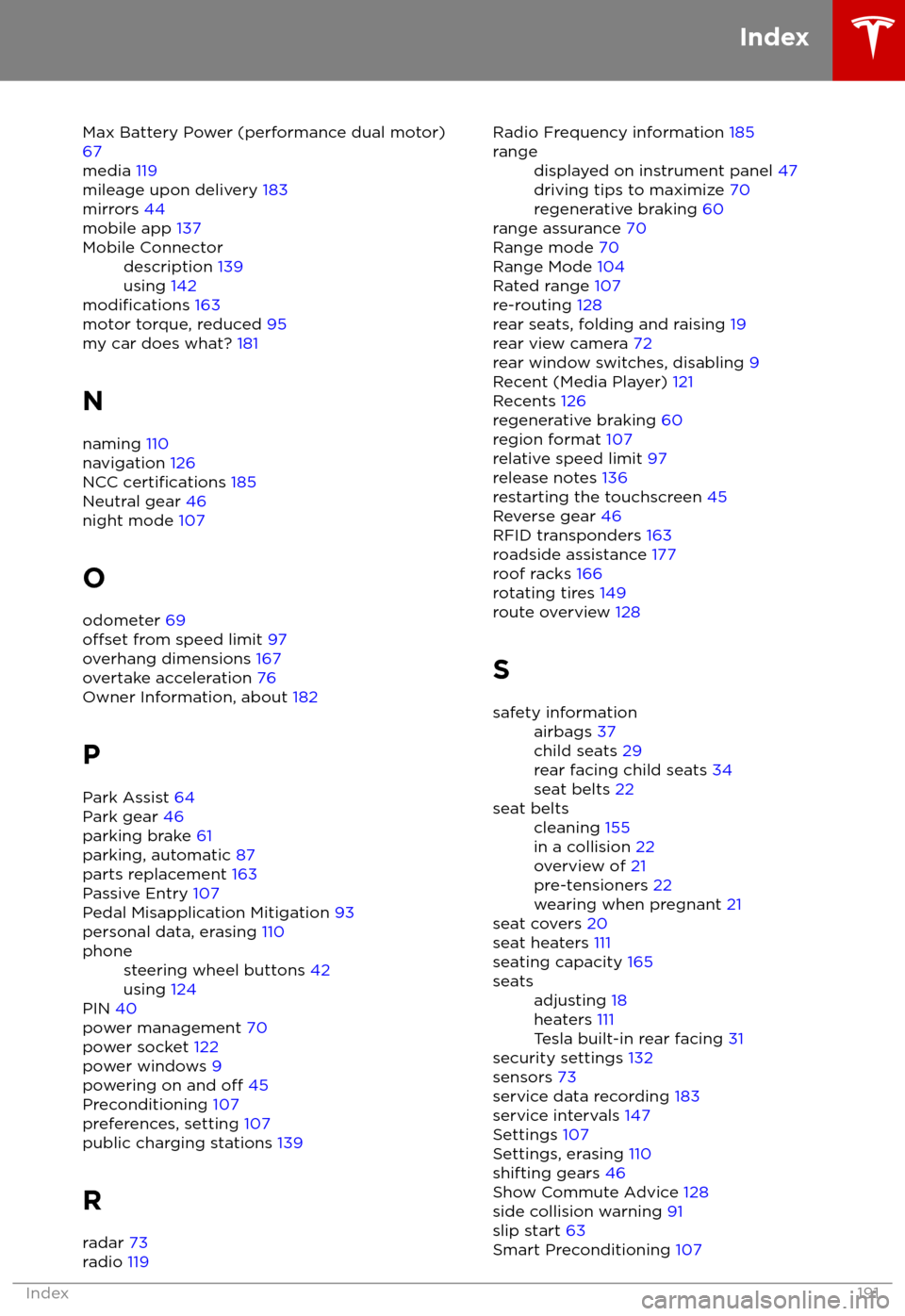
Max Battery Power (performance dual motor)67
media 119
mileage upon delivery 183
mirrors 44
mobile app 137Mobile Connectordescription 139
using 142
modifications 163
motor torque, reduced 95
my car does what? 181
N
naming 110
navigation 126
NCC
certifications 185
Neutral gear 46
night mode 107
O odometer 69
offset from speed limit 97
overhang dimensions 167
overtake acceleration 76
Owner Information, about 182
P Park Assist 64
Park gear 46
parking brake 61
parking, automatic 87
parts replacement 163
Passive Entry 107
Pedal Misapplication Mitigation 93
personal data, erasing 110
phonesteering wheel buttons 42
using 124
PIN 40
power management 70
power socket 122
power windows 9
powering on and
off 45
Preconditioning 107
preferences, setting 107
public charging stations 139
R
radar 73
radio 119
Radio Frequency information
185rangedisplayed on instrument panel 47
driving tips to maximize 70
regenerative braking 60
range assurance 70
Range mode 70
Range Mode 104
Rated range 107
re-routing 128
rear seats, folding and raising 19
rear view camera 72
rear window switches, disabling 9
Recent (Media Player) 121
Recents 126
regenerative braking 60
region format 107
relative speed limit 97
release notes 136
restarting the touchscreen 45
Reverse gear 46
RFID transponders 163
roadside assistance 177
roof racks 166
rotating tires 149
route overview 128
S
safety informationairbags 37
child seats 29
rear facing child seats 34
seat belts 22seat beltscleaning 155
in a collision 22
overview of 21
pre-tensioners 22
wearing when pregnant 21
seat covers 20
seat heaters 111
seating capacity 165
seatsadjusting 18
heaters 111
Tesla built-in rear facing 31
security settings 132
sensors 73
service data recording 183
service intervals 147
Settings 107
Settings, erasing 110
shifting gears 46
Show Commute Advice 128
side collision warning 91
slip start 63
Smart Preconditioning 107
Index
Index191